


VIDEOCAST V5 Video Switcher Mixer for Live Streaming
.webp)
Key Features
⏩🎥 5-Channel Switching
Supports multiple HDMI inputs for seamless live production.
⏩ 📺 Full HD Video Support
Delivers sharp and clear 1080p video quality.
⏩ 🔊 Audio Embedding & Mixing
Built-in audio mixer for HDMI and external audio inputs.
⏩🖥️ Multiview Preview
Monitor all sources simultaneously on one screen before switching.
⏩ 🎛️ T-Bar & Auto Transition Effects
Smooth switching with fades, cuts, and transitions.
⏩ 🎨 Picture-in-Picture (PIP) & Split-Screen
Ideal for interviews, gaming, and presentations.
⏩💻 USB Output for Streaming
Plug-and-play with platforms like YouTube, Facebook, and Zoom.
⏩ 🎤 Mic & Line Inputs
Connect professional microphones or audio mixers.
⏩ ⚡ Compact & Portable Design
Lightweight, making it suitable for studio or field production.
⏩ 🔌 Seamless Integration
Works with projectors, LED walls, PTZ cameras, and live streaming encoders.

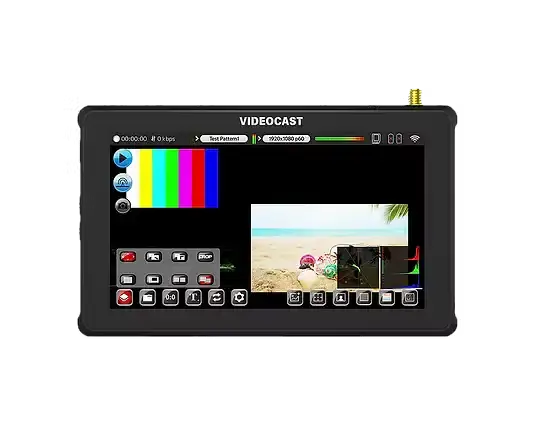
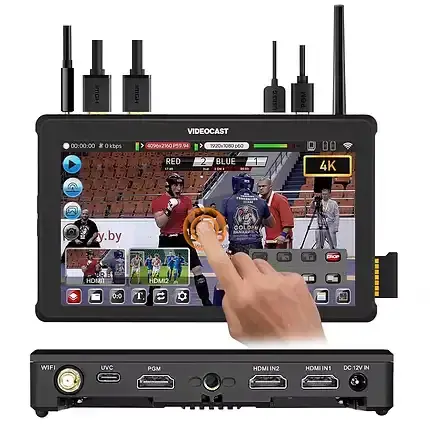
5.5 Inch Touch Display


Video Replay


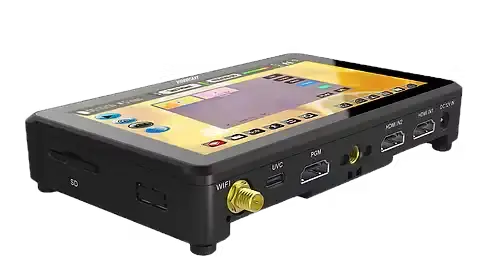
Multifunctional In/Out


Key Applications
✅ 🎥 Live Events & Stage Shows
Multi-camera production for concerts, seminars, and conferences.
✅ 🏫 Education & Online Classes
Professional streaming for schools, colleges, and training centers.
✅ 🙏 Houses of Worship
Streaming church services, prayers, and spiritual events.
✅ 💼 Corporate Meetings & Webinars
Smooth switching for hybrid meetings, presentations, and launches.
✅ 📰 News & Media Broadcasting
Multi-source live news coverage and interviews.
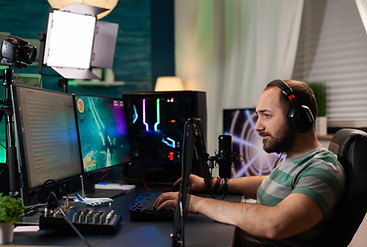
✅ 🎮 E-Sports & Gaming Streams
Switch between gameplay, commentary, and live cams.
✅ 📱 Social Media Streaming
Direct live streaming to YouTube, Facebook, Zoom, Teams, and OBS.
✅🎤 Talk Shows & Interviews
Picture-in-picture and split screen for guests and hosts.
✅🎬 Film & Video Production
On-set monitoring and live switching for production teams.
✅🛍️ E-Commerce & Product Demos
Showcase multiple camera angles for live selling.


Our Video Switcher Solutions

Live Game

.png)
Education
.png)
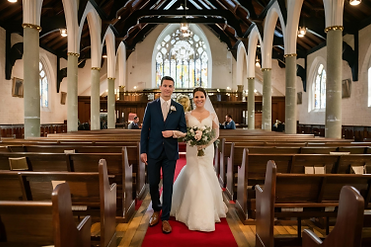
Wedding Live

.png)
Sport

.png)
Conference

.png)
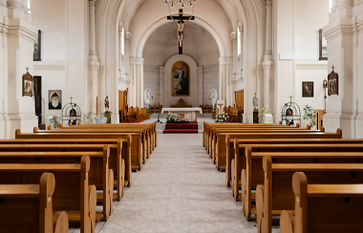
Church
Frequently Asked Questions (FAQ)
1. How many video sources can I switch at once?
It supports switching between multiple HDMI video sources for live production.
3. Can I stream directly to platforms like YouTube or Zoom?
Yes, connect via USB output to your computer and use your streaming platform.
5. Can I add audio from a mic or mixer?
Yes, it has built-in audio mixing for HDMI and external mic/line inputs.
7. What creative video features are included?
It supports Picture-in-Picture (PIP) and split-screen effects.
2. What video quality does it output?
It delivers Full HD (1080p) video quality for streaming and output.
4. How do I preview cameras before switching?
Use the multiview preview screen to see all sources at once before going live.
6. How do I make smooth transitions between scenes?
Use the T-bar or auto transition effects like fade and cut for smooth switches.
8. Why isn’t my switcher detected by my PC?
Check that the USB cable is connected properly and selected as the video source in your software.