


VIDEOCAST ATEM Switcher, OBS & Vmix Controller
.webp)
.webp)
.webp)
Key Features
⏩Multi-Platform Compatibility
Works with Blackmagic ATEM switchers, OBS, and vMix software, offering broad integration for different live production setups.
⏩ Channels / Inputs
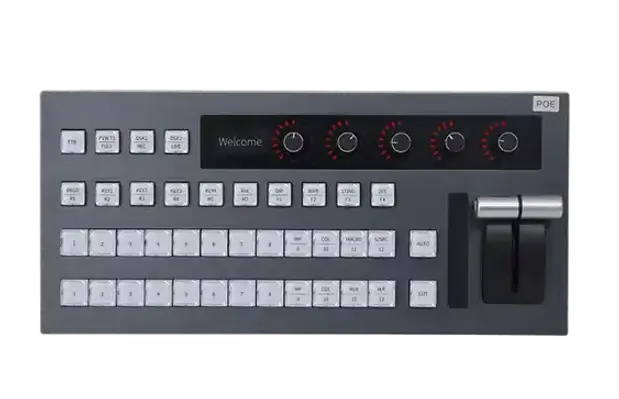
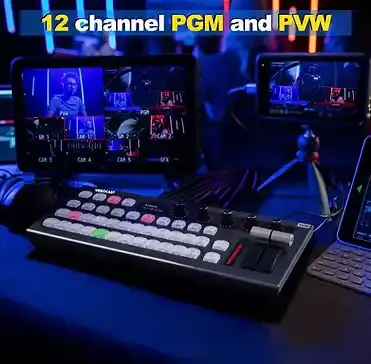
Supports up to 12 input channels and operates a 10-channel program (PGM) + 10-channel preview (PVW) switch setup.
⏩ Physical Control Layout
-
Includes ~40 physical buttons for source and effect switching.
-
5 knobs for audio: one master + 4 input (totaling up to 5 channels of volume control).
⏩Transitions & Effects
Offers multiple transition styles: MIX, DIP, WIPE, STING, DVE, allowing creative switches between inputs.
⏩ Audio Controls
Built-in audio mixer functionality: master volume plus individual channel control via knobs.
⏩ Tally & Monitoring
Provides status indicator lights and a display screen. Outputs tally signals via DB-25 interface: supports 10 PGM + 10 PVW tally channels (20 total).
⏩Connection & Power
-
Connects via LAN (only LAN for ATEM mode) and USB 2.0 (drive-free) for software-based control.
-
Powered by 12 V DC, draws ~0.3 A; consumption ~4 W. Operating range: 0 °C to 40 °C.
⏩ Build & Form Factor
Anodized aluminium alloy case for durability and professional look. Dimensions are approximately 420 × 257.5 × 121.2 mm.

Control panel for Atem vMix


I/P Feature


vMix Mode

.webp)

Key Applications
✅ 🎥 Live Events & Stage Shows
Multi-camera production for concerts, seminars, and conferences.
✅ 🏫 Education & Online Classes
Professional streaming for schools, colleges, and training centers.
✅ 🙏 Houses of Worship
Streaming church services, prayers, and spiritual events.
✅ 💼 Corporate Meetings & Webinars
Smooth switching for hybrid meetings, presentations, and launches.
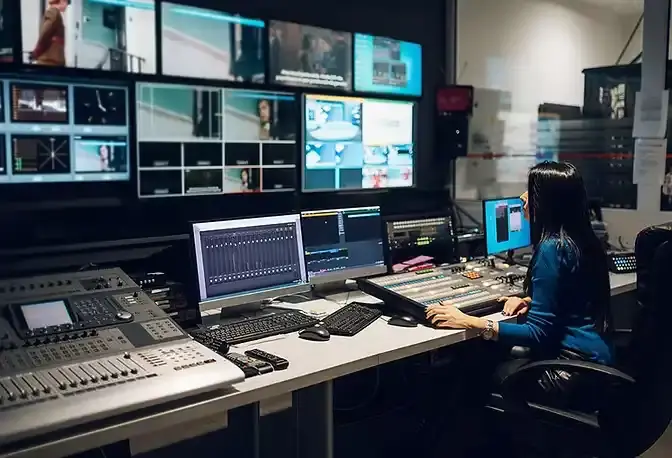
✅ 📰 News & Media Broadcasting
Multi-source live news coverage and interviews.
✅ 🎮 E-Sports & Gaming Streams
Switch between gameplay, commentary, and live cams.
✅ 📱 Social Media Streaming
Direct live streaming to YouTube, Facebook, Zoom, Teams, and OBS.
✅🎤 Talk Shows & Interviews
Picture-in-picture and split screen for guests and hosts.
✅🎬 Film & Video Production
On-set monitoring and live switching for production teams.
✅🛍️ E-Commerce & Product Demos
Showcase multiple camera angles for live selling.

Our Video Switcher Solutions

Live Game

.png)
Education
.png)
Wedding Live

.png)
Sport

.png)
Conference
.png)
Church
Frequently Asked Questions (FAQ)
1. What is this controller used for?
It lets you control Blackmagic ATEM switchers, OBS, and vMix software for live video production.
3. Can I use it with vMix or OBS?
Yes — it works with both vMix and OBS using USB or network connection.
5. Why isn’t a button switching the source?
Check your software connection mode and that the LAN/USB link is active and selected.
7. What transitions can I trigger?
You can use transitions like mix, wipe, dip, stinger, and DVE from the panel.
2. How do I connect it to my ATEM switcher?
Connect via LAN cable to the ATEM for full hardware control.
4. How many input channels can I switch?
It supports control of up to 12 input channels for program and preview.
6. How do I adjust audio levels?
Use the built-in knobs to control master and individual audio channels.
8. What if the controller isn’t recognized?
Make sure cables are fully plugged in, power is on, and the software (ATEM/vMix/OBS) is running and set to accept control.