


PTZ Video Camera
4K AI Tracking Cameras for Live Streaming | Videocast

About PTZ Video Camera
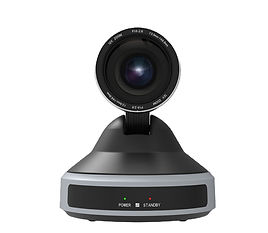
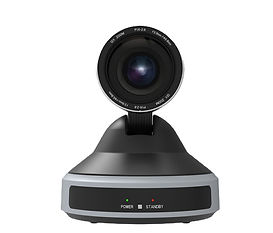
Videocast PTZ video cameras are designed for professional live streaming, video conferencing, online teaching and broadcasting. With advanced features like 4K resolution, AI auto-tracking, smooth pan-tilt-zoom control and multiple output options including HDMI, SDI, USB and NDI, these cameras deliver crystal-clear video quality for studios, churches, events and corporate setups.


_edited_edited.jpg)
_edited_edited.jpg)


_edited.jpg)

.jpg)

FAQ (Frequently Asked Questions)
1. What is a PTZ video camera?
Ans: PTZ (Pan-Tilt-Zoom) camera can move remotely in all directions and zoom in/out without manual operation. It is ideal for live streaming, events, education, worship, and studio setups.
2. What are the main benefits of using a PTZ Video camera?
Ans: PTZ cameras offer remote control, multiple presets, wide coverage, clean installation, and the ability to operate multiple cameras with a single operator.
3. Which PTZ camera is best for live streaming?
Ans: Choose a PTZ camera that includes HDMI/SDI/IP/NDI output, optical zoom, PoE support, and low-light performance. These features ensure smooth integration with YouTube, Facebook, OBS, vMix, and switchers.
4. How do I control a 4K PTZ camera?
Ans: PTZ cameras can be controlled using IR remote, PTZ Camera controller, IP software, or NDI tools. You can also save presets to switch between angles instantly.
5. Can 4k PTZ cameras be used for church, classroom, or corporate events?
Ans: Yes. PTZ video cameras are popular for worship services, education, conferences, studios, and webinars because they can cover multiple angles without extra manpower.
7. How do I install a 4k PTZ video camera?
Ans: PTZ cameras can be installed on walls, ceilings, tripods, or stands. Connect power or PoE, run your video cable (HDMI/SDI/IP), set network configurations, and add presets before live streaming.
6. What connections do 4k PTZ cameras support?
Ans: Most 4k PTZ cameras support HDMI, SDI, USB, LAN (IP), NDI, and PoE. You can choose your connection based on distance and compatibility with your streaming setup.
8. What zoom level should I choose for my room or hall?
-
Small rooms: 10×–20× zoom
-
Medium halls: 20×–25× zoom
-
Large auditoriums/churches: 30×+ zoom
Your zoom depends on the distance between the camera and the subject.